Image
The Image class is used to create images that can be displayed easily on
the device’s LED matrix. Given an image object it’s possible to display it via
the device API:
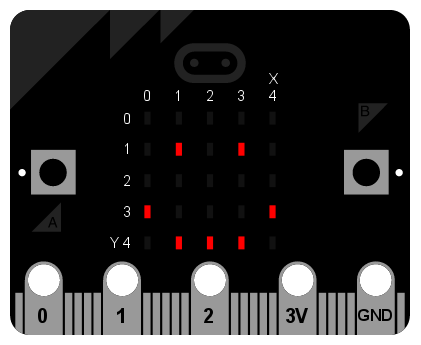
display.show(Image.HAPPY)
Classes
-
class
microbit.Image(string)¶ -
class
microbit.Image(width=None, height=None, buffer=None) If
stringis used, it has to consist of digits 0-9 arranged into lines, describing the image, for example:image = Image("90009:" "09090:" "00900:" "09090:" "90009")
will create a 5×5 image of an X. The end of a line is indicated by a colon. It’s also possible to use a newline (n) to indicate the end of a line like this:
image = Image("90009\n"
              "09090\n"
              "00900\n"
              "09090\n"
              "90009")
The other form creates an empty image with
widthcolumns andheightrows. Optionallybuffercan be an array ofwidth``×``heightintegers in range 0-9 to initialize the image.-
width()¶ Return the number of columns in the image.
-
height()¶ Return the numbers of rows in the image.
-
set_pixel(x, y, value)¶ Set the brightness of the pixel at column
xand rowyto thevalue, which has to be between 0 (dark) and 9 (bright).This method will raise an exception when called on any of the build-in read-only images, like
Image.HEART.
-
get_pixel(x, y)¶ Return the brightness of pixel at column
xand rowyas an integer between 0 and 9.
-
shift_left(n)¶ Return a new image created by shifting the picture left by
ncolumns.
-
shift_right(n)¶ Same as
image.shift_left(-n).
-
shift_up(n)¶ Return a new image created by shifting the picture up by
nrows.
-
shift_down(n)¶ Same as
image.shift_up(-n).
-
Attributes
The Image class also has the following built-in instances of itself
included as its attributes (the attribute names indicate what the image
represents):
Image.HEARTImage.HEART_SMALLImage.HAPPYImage.SMILEImage.SADImage.CONFUSEDImage.ANGRYImage.ASLEEPImage.SURPRISEDImage.SILLYImage.FABULOUSImage.MEHImage.YESImage.NOImage.CLOCK12,Image.CLOCK11,Image.CLOCK10,Image.CLOCK9,Image.CLOCK8,Image.CLOCK7,Image.CLOCK6,Image.CLOCK5,Image.CLOCK4,Image.CLOCK3,Image.CLOCK2,Image.CLOCK1Image.ARROW_N,Image.ARROW_NE,Image.ARROW_E,Image.ARROW_SE,Image.ARROW_S,Image.ARROW_SW,Image.ARROW_W,Image.ARROW_NWImage.TRIANGLEImage.TRIANGLE_LEFTImage.CHESSBOARDImage.DIAMONDImage.DIAMOND_SMALLImage.SQUAREImage.SQUARE_SMALLImage.RABBITImage.COWImage.MUSIC_CROTCHETImage.MUSIC_QUAVERImage.MUSIC_QUAVERSImage.PITCHFORKImage.XMASImage.PACMANImage.TARGETImage.TSHIRTImage.ROLLERSKATEImage.DUCKImage.HOUSEImage.TORTOISEImage.BUTTERFLYImage.STICKFIGUREImage.GHOSTImage.SWORDImage.GIRAFFEImage.SKULLImage.UMBRELLAImage.SNAKE
Finally, related collections of images have been grouped together:
* ``Image.ALL_CLOCKS``
* ``Image.ALL_ARROWS``
Operations
repr(image)
Get a compact string representation of the image.
str(image)
Get a readable string representation of the image.
image1 + image2
Create a new image by adding the brightness values from the two images for each pixel.
image * n
Create a new image by multiplying the brightness of each pixel by n.